
Record the installation you already have
Write down the visible app version and the distribution channel from which it came. Where possible, record the package identifier and trusted signing-certificate reference. Confirm how account recovery works through a verified publisher channel before changing anything.
Do not send recovery information to this website. We do not operate accounts and cannot restore a game balance or login. A “support agent” who asks for an OTP or remote screen access should not be trusted with those details.
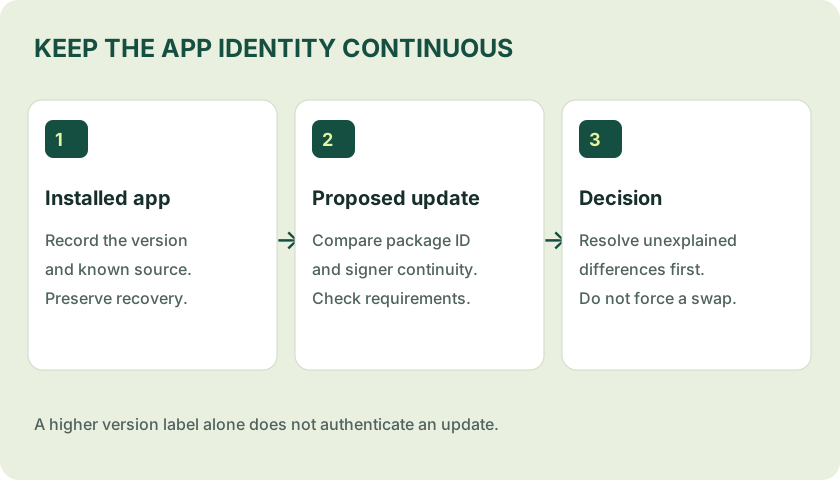
Check the proposed release
- Same publisher-controlled channel: a message in a group chat is not enough.
- Same application identity: a similar name can belong to a different package.
- Accepted signing identity or lineage: unexplained differences need investigation.
- Documented version and requirements: do not assume a larger version name is a newer compatible build.
- Exact bytes: compare the file hash against a trusted release reference, not a hash printed by the same unknown mirror.
Apply an identified update carefully
Close the existing app, keep the phone charged, check storage and open only the identified update file. Review the installer’s messages and any changed permissions. Keep Android security checks on. After installation, check the version and remove temporary source-install permission.
If the update fails, preserve the current app and record the error. Read the installation error guide rather than repeatedly clearing storage, resetting the phone or installing several different builds.
Old-version APKs are not a universal fix
Downgrades can be rejected by Android, break local data or leave known security issues unfixed. Server-side account or availability problems are not necessarily solved by an older installer. “Old version working” is a claim that needs a specific device, release and test date.
This site hosts no old-version archive. Its release page states which evidence is missing instead of presenting an untested history as a download catalogue.
Sources & scope
References consulted 22 October 2026. General guidance is not a test of a specific app file.